
Craft Your English Voice! ✍️
Stop being a passive learner. The Writing Workbook gives you structured prompts, precise word count targets, and a real-time grammar coach so you can produce English that sounds authentic, clear, and confident.
Real-World Prompts
The Writing Workbook does not give you fill-in-the-blank exercises. Every task is a complete real-world writing challenge: drafting a formal business email, writing a structured argument essay, composing a personal journal entry, or responding to a professional scenario.
With 29 task types available, the range covers the writing contexts where English learners are most likely to need confidence — workplace communication, academic writing, descriptive narratives, and persuasive writing. Each task specifies the context, the intended audience, and the purpose, so you are practicing writing that serves a real function, not exercises invented for the sake of practice.
Complete the tasks that are most relevant to your goals first. If you need professional English for work, prioritize the business and formal writing tasks. If you are preparing for an academic exam, focus on the essay and argumentative formats.
Need a Hand?
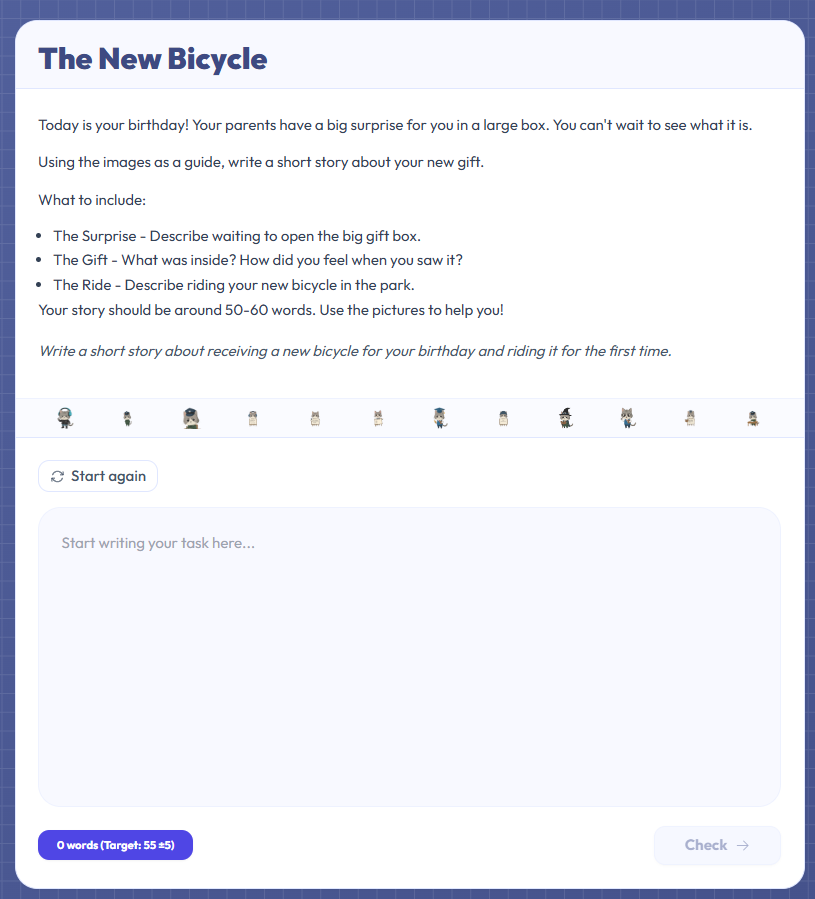
If you are stuck mid-task, the Hint feature gives you a directional nudge without writing the response for you. A hint might suggest a structural approach, point you toward a key vocabulary word, or clarify the prompt if the instructions are ambiguous.
Use hints as a last resort rather than a starting point. The cognitive effort of working through a problem yourself — even if your first attempt is imperfect — produces better learning than reading the answer. A draft you wrote with effort and revised is worth more than a polished response you assembled from hints.
After using a hint, go back to your draft rather than rewriting from scratch. Improvement through revision is the real skill the Workbook is building.
Instant AI Feedback
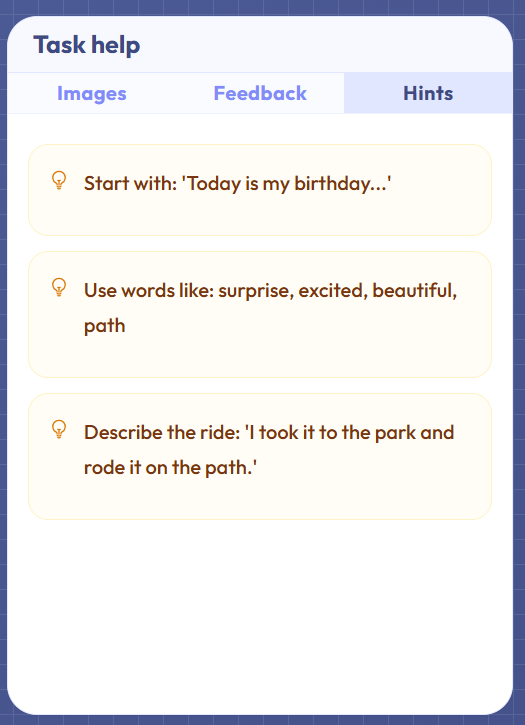
Every task has a word count target — a specific number you are expected to hit within plus or minus five words. The live word counter at the top of the editor updates as you type so you always know where you stand. A built-in timer is also available if you want to simulate timed writing conditions.
As you write, Harper.js — a grammar checking engine that runs entirely in your browser, sending no text to any server — scans your text and flags potential errors with specific rule explanations. Unlike generic autocorrect, each flag tells you what rule is being broken and why. You can apply a suggestion with one click or dismiss it and continue writing your own way.
The feedback panel separates grammar issues from style suggestions so you can address them independently. Grammar issues are things that are technically wrong; style suggestions are things that could be clearer or more natural.
Scoring & Metrics
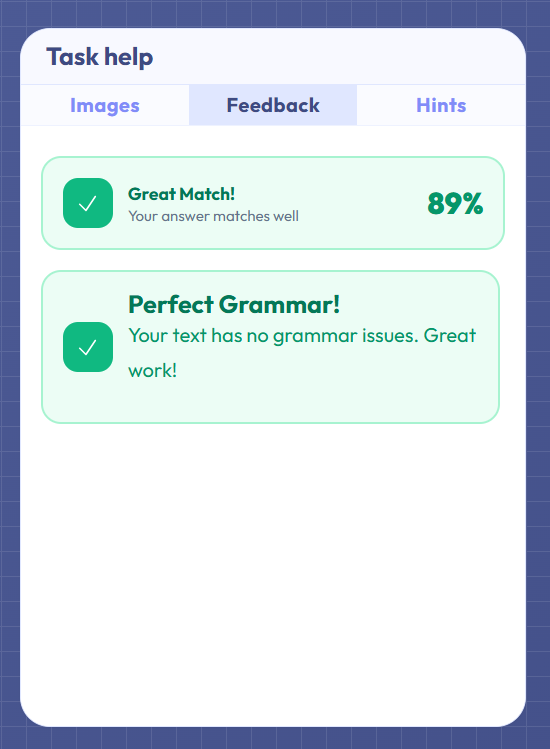
After submitting your draft, you receive a similarity score comparing your response to a model answer. This score measures how aligned your approach, vocabulary, and structure are with a strong example — it is not a grade, and a low similarity score does not mean your answer was wrong.
Use the similarity score as a diagnostic tool. If your score is low, compare your draft to the model side by side and identify the differences: Did you address all parts of the prompt? Did you use the right register — formal where formal was required? Did your structure match what was expected? These are the questions worth asking.
Your submission history is saved so you can revisit previous attempts and see how your writing has changed over multiple sessions on the same task type.
- Business Email Mastery
- Creative Storytelling
- Essay Outlining
- Grammar & Style AI Feedback